 How can we help you today?
1.Under "Control Panel", open "Device Manager".
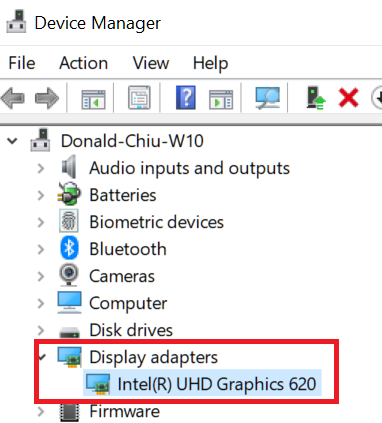
2. Find the Display adapters and double click on it then double click on the device shown:
3.Select Driver tab, this will list the Driver version.


Modified on: Mon, 16 Mar, 2026 at 11:20 AM
1.Under "Control Panel", open "Device Manager".
2. Find the Display adapters and double click on it then double click on the device shown:
3.Select Driver tab, this will list the Driver version.
Did you find it helpful? Yes No
Send feedback